BUSINESS MANAGEMENT SYSTEM
ERP Software in Pakistan
Stock, purchases, sales and accounts in one connected system. Choose a ready-made ERP or have one built around your business.
MODULES
Business Management Software With Every Module You Need
Inventory
Know what is in stock, where it is and what is running low.
Purchase
Record supplier orders, invoices, due dates and payments.
Sales & POS
Bill customers at the counter or by invoice from the same stock.
Customers & Suppliers
Keep every party and its balance in one clear list.
Accounting & Ledgers
Ledgers, cash book and bank book that update as you work.
Expenses
Capture daily costs so profit is never overstated.
Reports & Profit
Ready reports that show where money comes from and goes.
Users & Roles
Give each person only the access their job needs.
Export & Import (custom)
Shipments, containers and foreign currency for traders, built on request.
FEATURES
An ERP System That Shows the Whole Picture
From the first purchase to the final profit figure, everything stays connected.
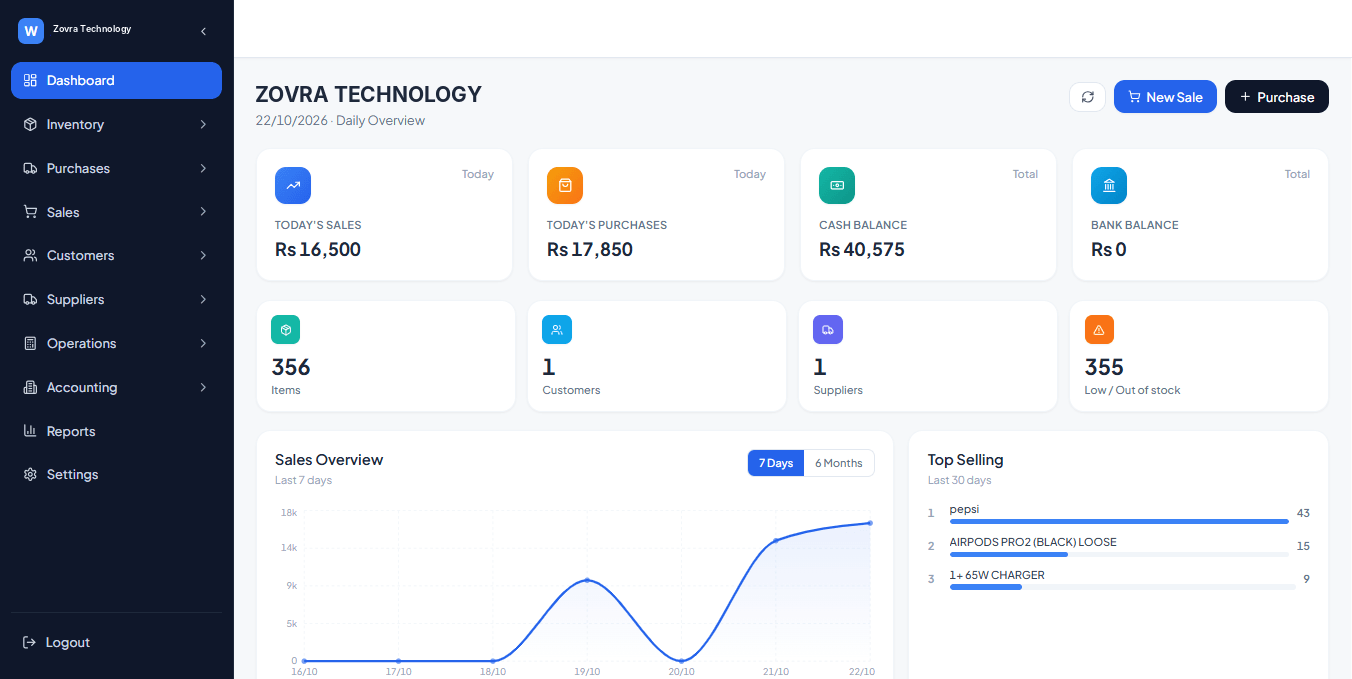
One Dashboard for the Whole Business
Open the system and see the state of your business at a glance. Sales, stock and cash are summarised before you open a single report.
- Sales and purchases for the day
- Cash and bank balances
- Low stock and best sellers
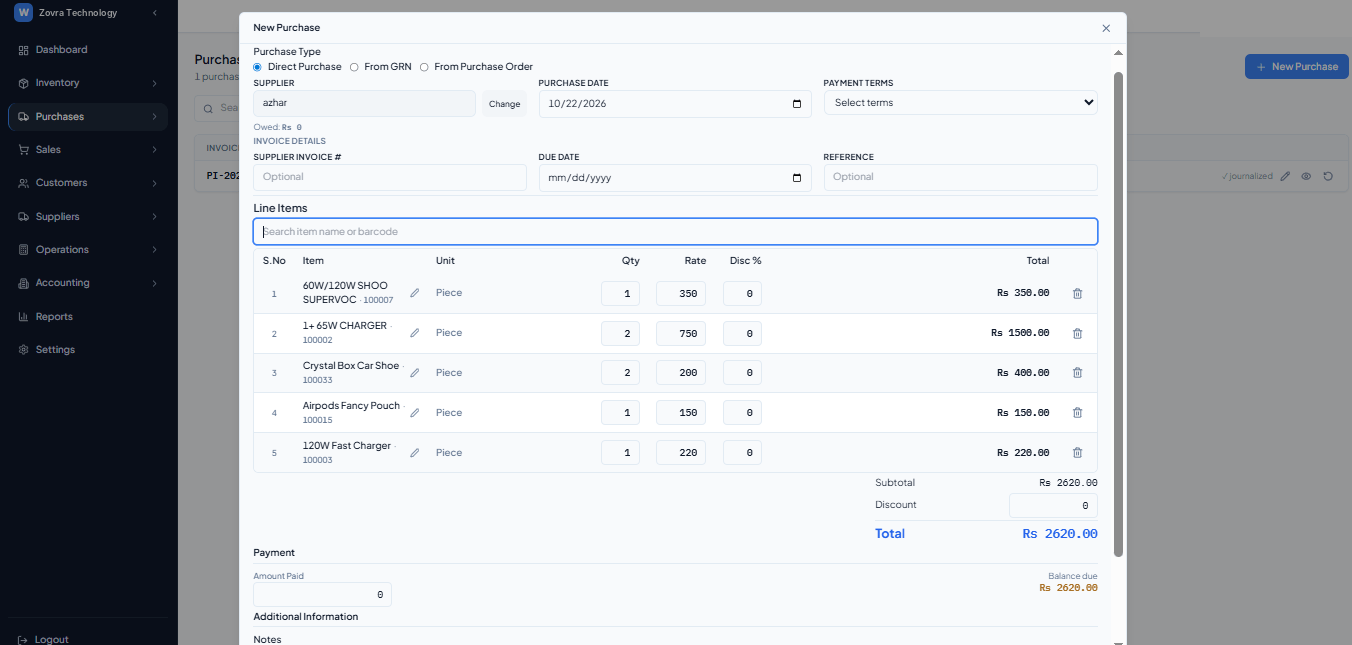
Purchasing That Follows Your Process
Buy the way you already do. The purchase module supports different ways to bring stock in and keeps each supplier payment on track.
- Direct, GRN or purchase order entry
- Supplier invoice with due date
- Part payments tracked automatically
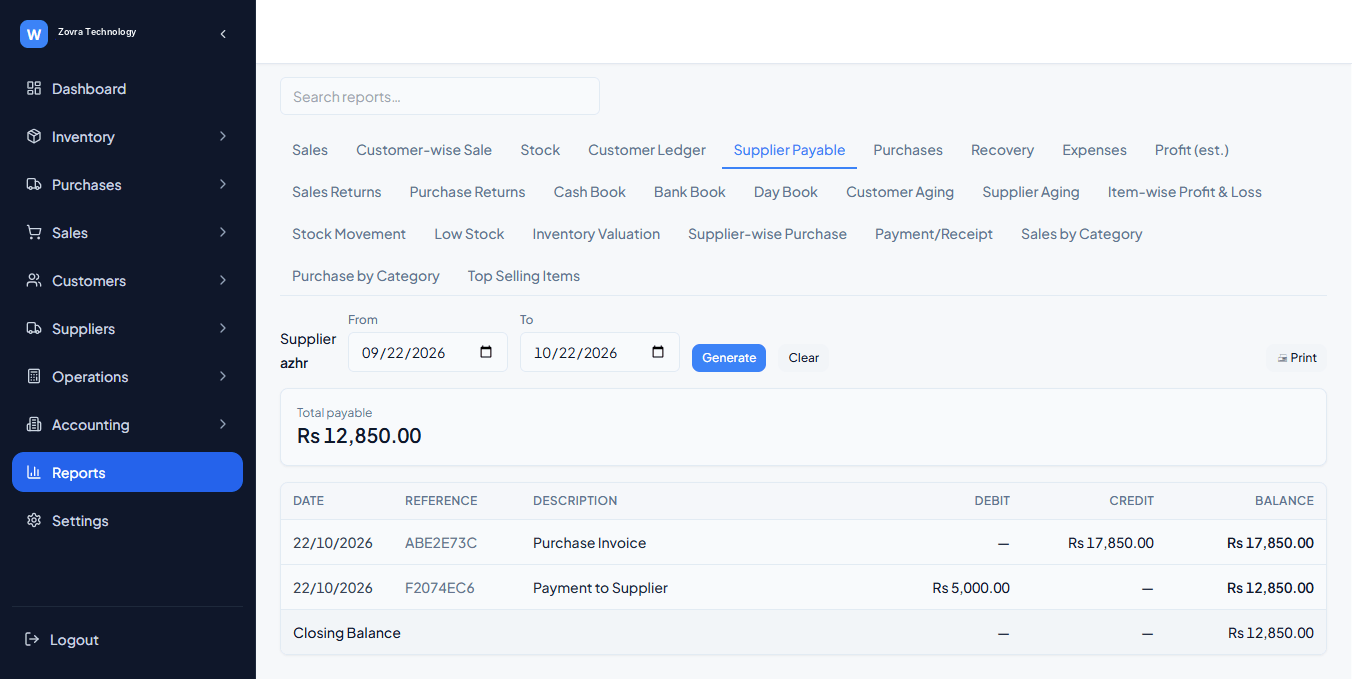
Ledgers You Can Trust
Every sale, purchase and payment lands in the right account on its own, so balances are always current and easy to explain.
- Receivables and payables
- Running balance on each account
- Print or share a statement
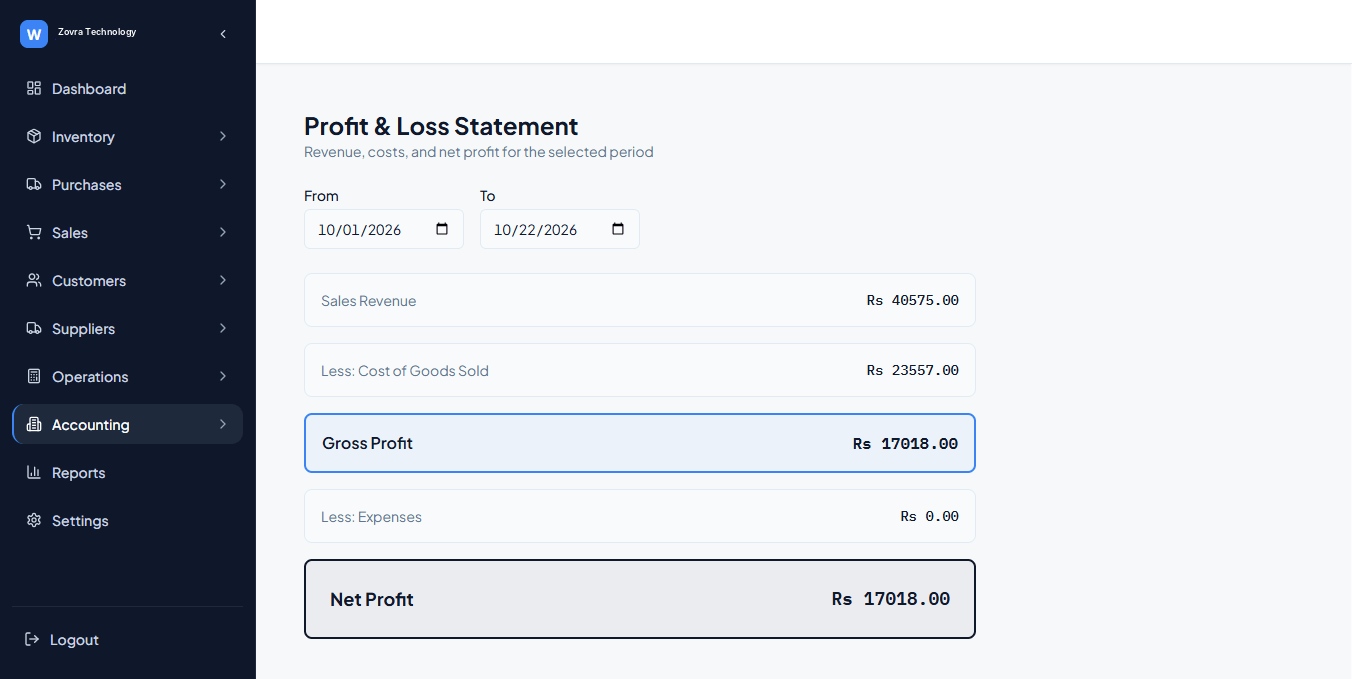
Profit & Loss on Demand
Stop guessing whether the business is earning. Choose a period and see revenue, cost and profit worked out from your own records.
- Revenue against cost of goods
- Gross and net profit
- Any date range you choose
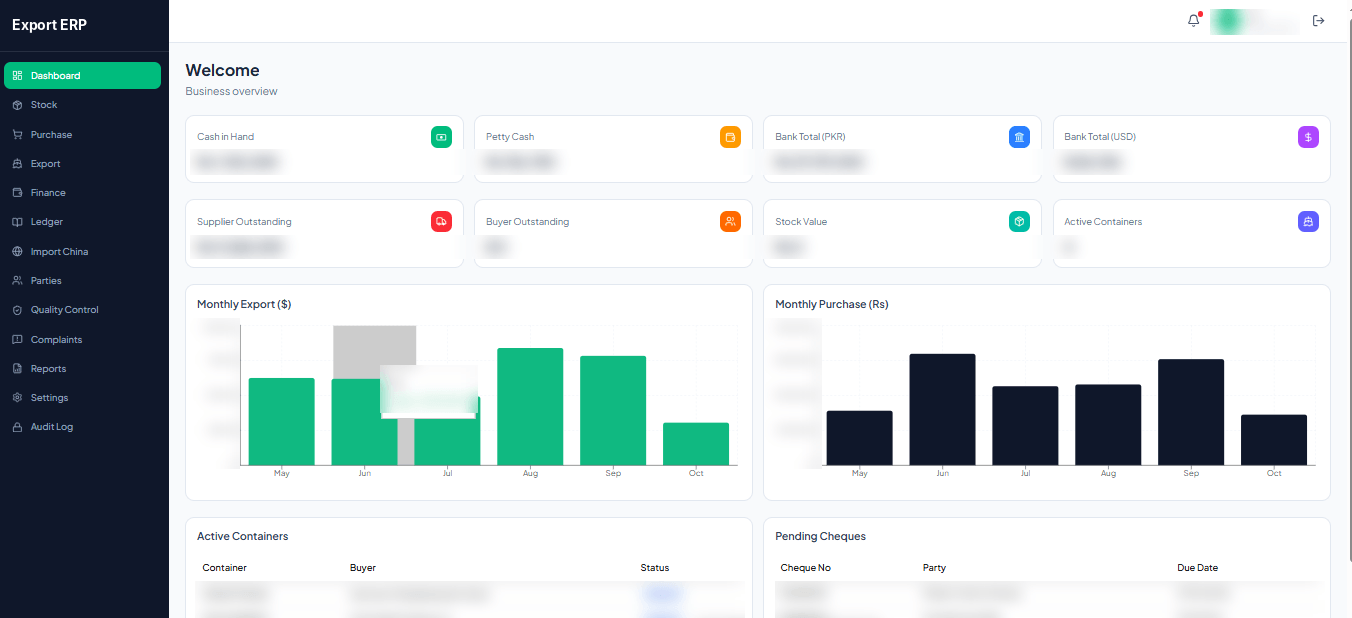
Custom ERP: An Export Business Example
When a business has an unusual process, we build the ERP around it. This system for a medical cotton exporter joins every step into one connected workflow.
- Shipments, containers and bank accounts
- Imports, quality control and complaints
- An audit log of every change
READY-MADE VS CUSTOM
Ready-made ERP or Custom ERP
Both run on the same solid foundation. The difference is how closely we shape it to your business.
Ready-made ERP
- Start quickly with proven modules
- Best when your process is common
- Lower cost to begin
- Updates and support from us
Custom ERP
- Built around your exact workflow
- Best for unusual or complex processes
- Add modules as you grow
- Screens and reports shaped for you
Not sure which one you need?
Tell us about your business in a free demo and we will suggest the right fit.
FAQ
ERP Software FAQs
Ready to Grow Your Business?
Book a free demo and see how Zovra Technology software fits your business.