POINT OF SALE SYSTEM
POS Software in Pakistan
A quick, simple billing system for your counter. Scan items, print receipts and close the day with confidence, online or offline.
FEATURES
Point of Sale Software That Keeps the Line Moving
Billing software for every counter, from a small retail POS in a neighbourhood shop to a busy POS system in Karachi.
Fast Billing with Barcode
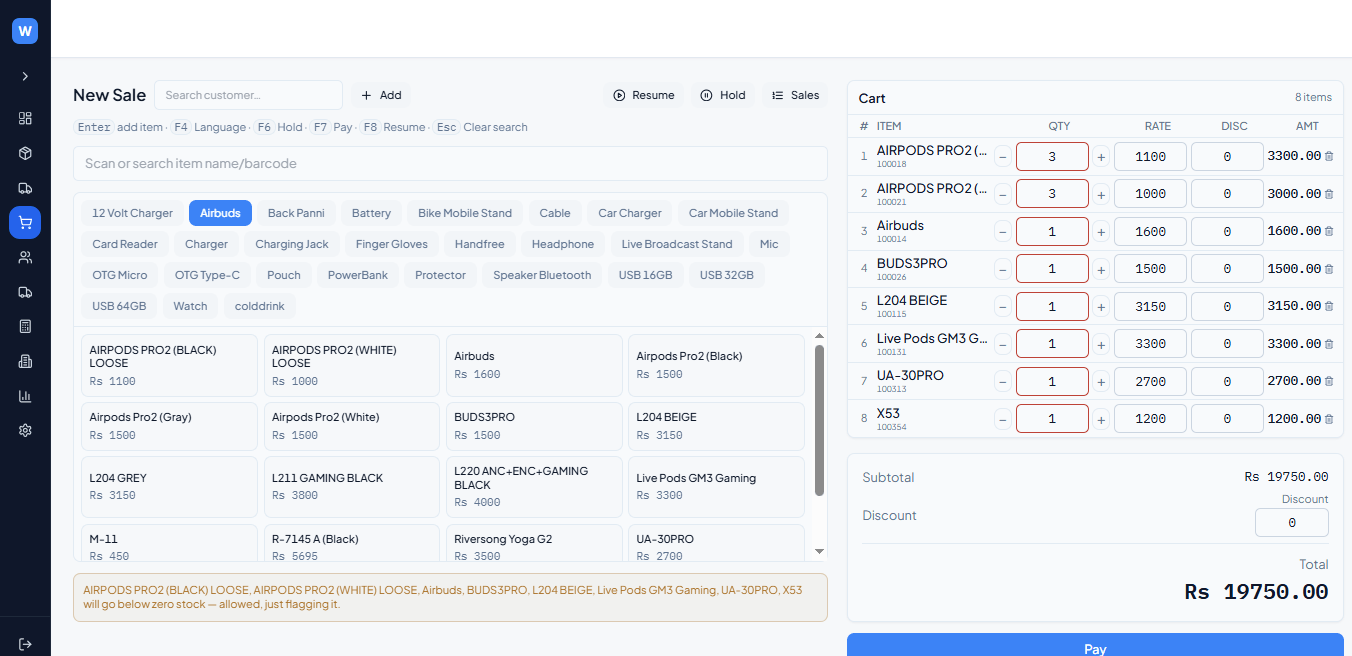
Add items to the bill the way that suits you. Scan a barcode, tap a category button or search, and adjust the cart without leaving the billing screen.
- Scan a barcode or tap category buttons
- Search items by name or code
- Change quantity, rate and discount in the cart
Hold, Resume & Keyboard Shortcuts
Never keep a customer waiting. Put one bill on hold, serve the next person, and come back to the first with a single key.
- Hold a bill and serve the next customer
- F6 to hold, F7 to pay, F8 to resume
- F4 to switch between Urdu and English
Cash, Card & Udhaar Payments
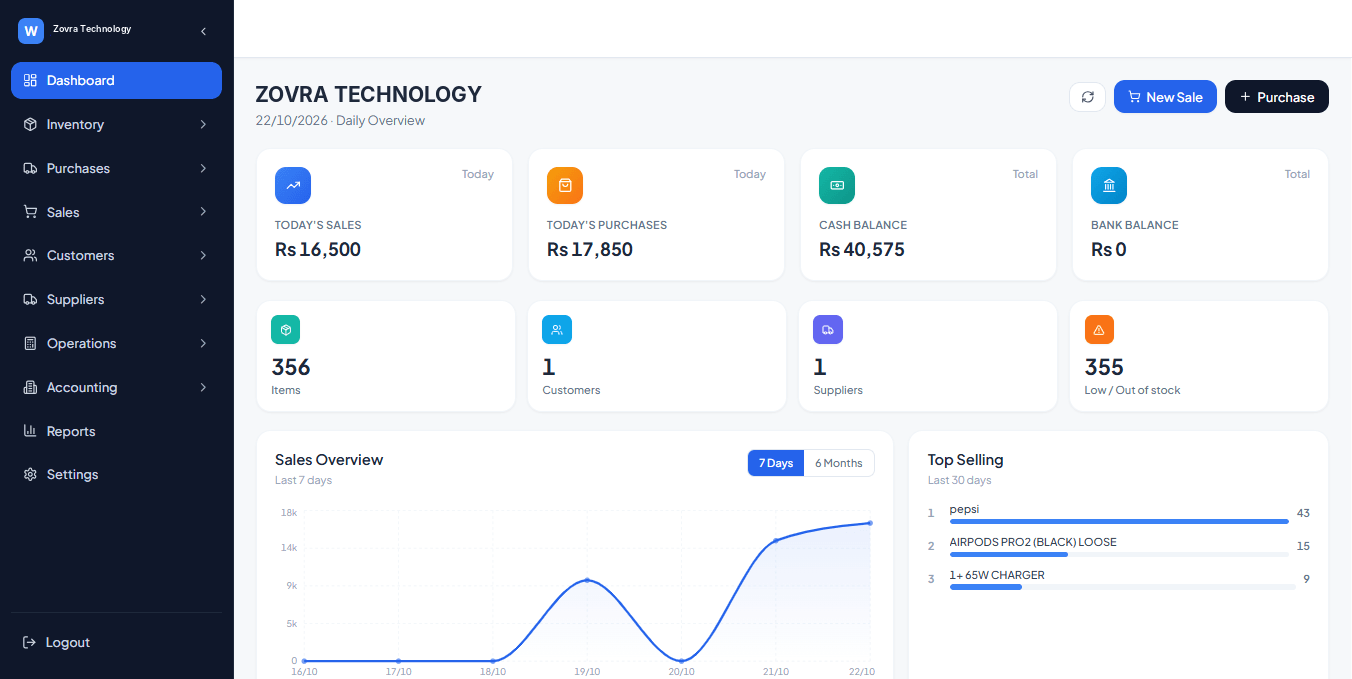
Take payment the way your customer prefers. Choose the customer, record cash, card or udhaar, and see the day's sales and cash update right away.
- Select a customer for the sale
- Take cash, card or udhaar
- See today's sales and cash instantly
Thermal Receipts
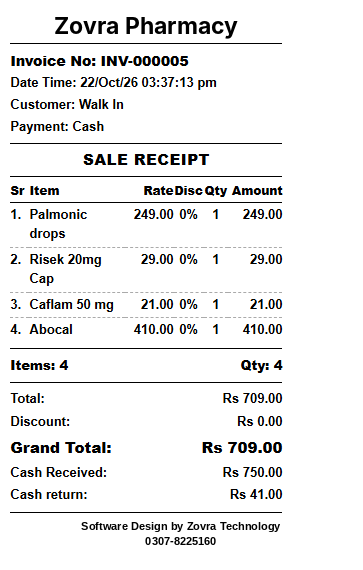
Give every customer a neat printed receipt in a moment. Receipts carry your shop details and print cleanly on common thermal printers.
- Your shop name on every receipt
- Prints on 80mm thermal printers
- Clear layout that is easy to read
Daily Cash Closing
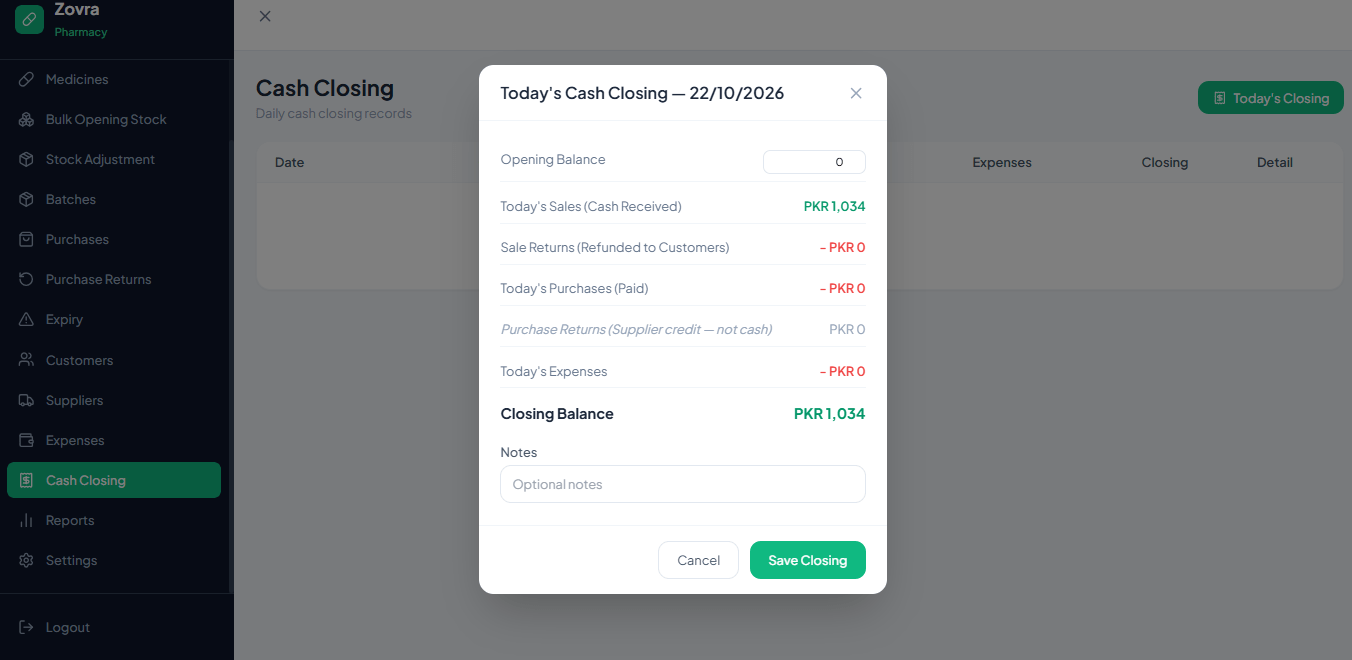
End the day with numbers you can trust. Everything that moved through the till is gathered, so the cash in your drawer matches your records.
- Sales and returns together
- Purchases and expenses included
- Closed in one click
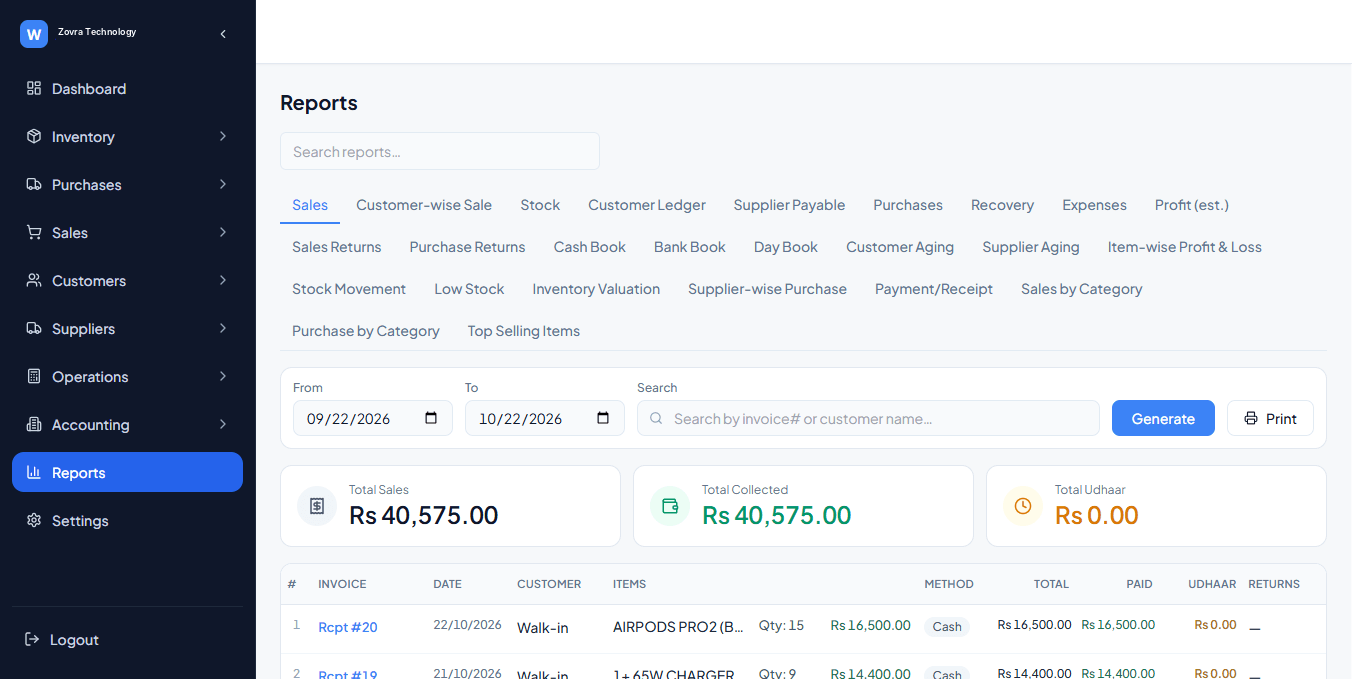
Sales Reports
A busy counter produces a lot of data. Reports turn it into answers about what sells, what earns and what comes back.
- Daily sales
- Item-wise profit
- Top selling items and returns
ALSO INCLUDED
Everything Else Your Counter Needs
Low Stock Warning
Get warned before an item runs out.
Sales Returns
Take items back and keep stock correct.
Sales History
Look up any earlier bill in seconds.
Multi-user Login
Give each cashier their own login.
Works Offline
Keep billing when the internet is down.
Urdu & English
Work in the language your team prefers.
POS FOR
A POS System for Every Kind of Shop
Retail Shops
Wholesale & Distributors
Electronics & Mobile Shops
Kiryana & Supermarkets
Restaurants
Running a pharmacy? See our Pharmacy Software
HARDWARE
Works With the Equipment You Already Use
Barcode Scanners
Scan items to add them to the bill instantly.
Thermal Printers (80mm)
Print receipts on common 80mm printers.
Cash Drawers
Open the drawer automatically when a sale is done.
Touch Screens
Work quickly with a touch screen at the counter.
Works on Any Windows PC
No special computer needed to get started.
FAQ
POS Software FAQs
Ready to Grow Your Business?
Book a free demo and see how Zovra Technology software fits your business.